Password Login
Enter the number linked to your account and its password. Turn off Remember account password on a shared phone.

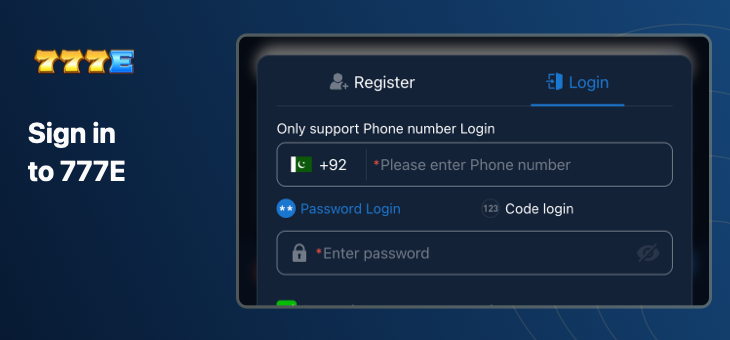
Open the 777E lobby and tap Login there. Enter your registered +92 mobile number, then choose Password Login or Code login. Use Forgot Password to recover access.
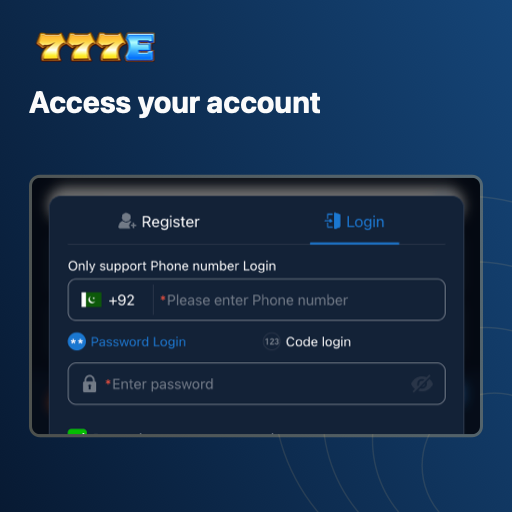
Enter the number linked to your account and its password. Turn off Remember account password on a shared phone.
Choose Code login, enter your registered +92 mobile number and request the code. When it arrives on your phone, enter it in the form and submit to sign in.
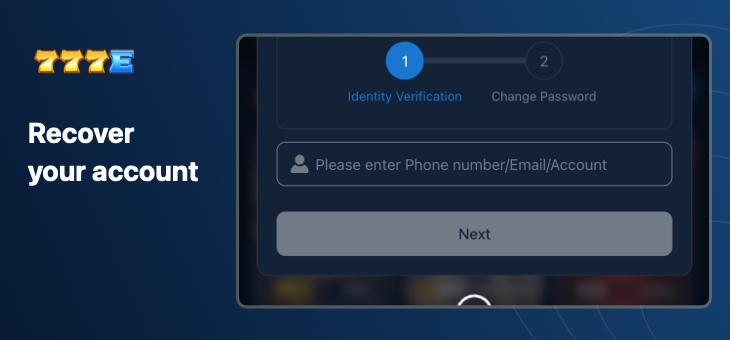
The recovery screen accepts a phone number, email or account for Identity Verification. Enter details already linked to the account and proceed to Change Password when prompted.
Use your existing account. If you no longer have access to its recovery contact, use Support.
When your session is no longer active, sign in again in the same browser. If it keeps happening, note the error and contact Support.
Check the +92 number and the resend timer. Request another code when the form allows it. If the code still does not arrive, open Customer Service from the login panel.
Open your existing account and confirm you can still use its recovery contact before switching.
Keep your password, one-time codes and wallet PIN private. Sign out when you finish on a shared phone.
If you think somebody else entered your account, use the platform recovery option and contact Support.