
What you can do on 777E
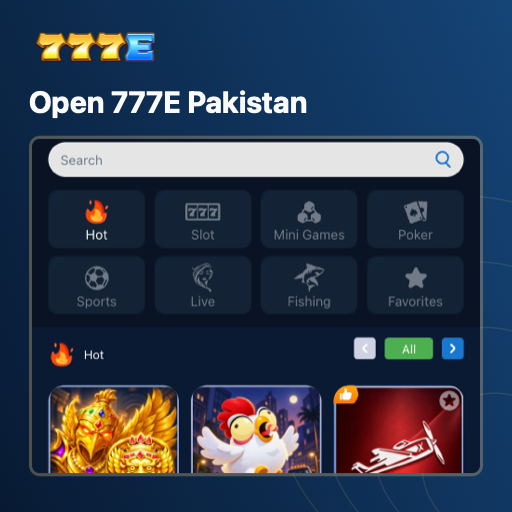
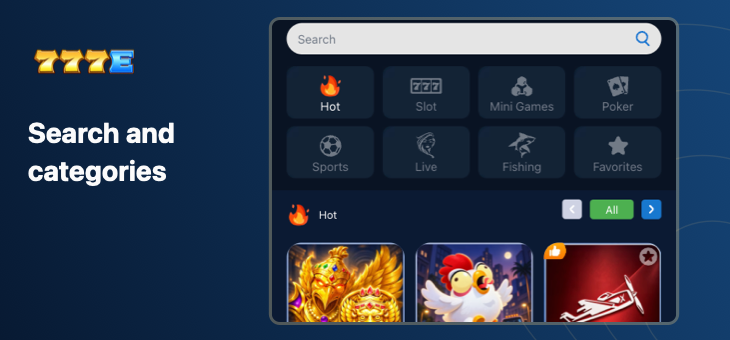
777E is a mobile gaming lobby for Pakistan. Browse featured titles in Hot or use Search to find a specific game. The lobby groups slots, mini games, fishing, live tables, poker and sports so you can go straight to the format you want.
You can explore the lobby in your phone browser. Read the rules and check any stake a game displays before deciding to start a round.
Where to go in the lobby
Look at the top of the lobby for Download now, Login and Register. The bottom menu has Home for games, Promo for campaigns, Invite for referrals, and Support for help.
For a payment, use Deposit or open the withdrawal area from Profile. Check the method, amount and information shown for your account before confirming a request.
See the 777E lobby and cashier
The platform screens show how games are grouped, what the Android download menu looks like and where to find wallet options. The campaign artwork shows the two QR channels to look for.
Search and categories in the 777E Pakistan lobby 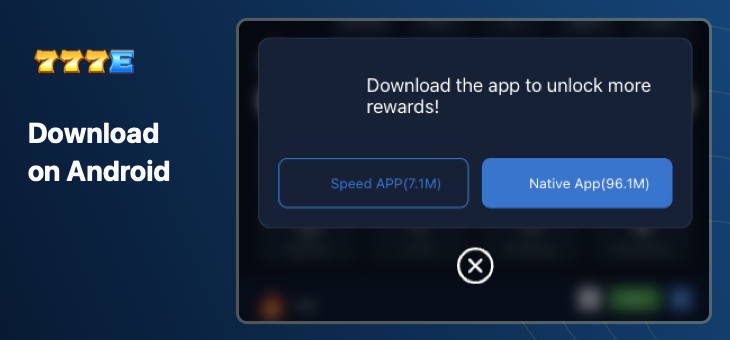
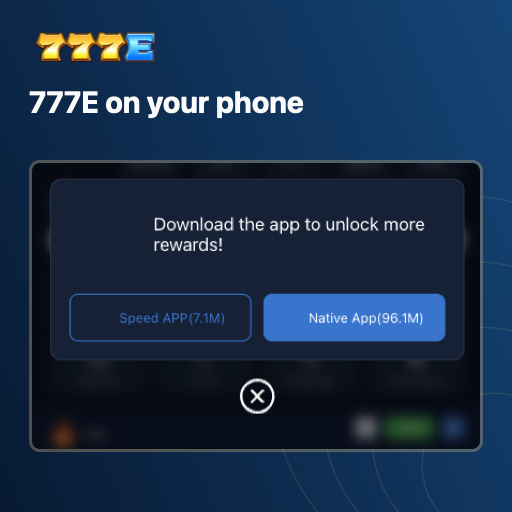
Where to find the Android download in 777E 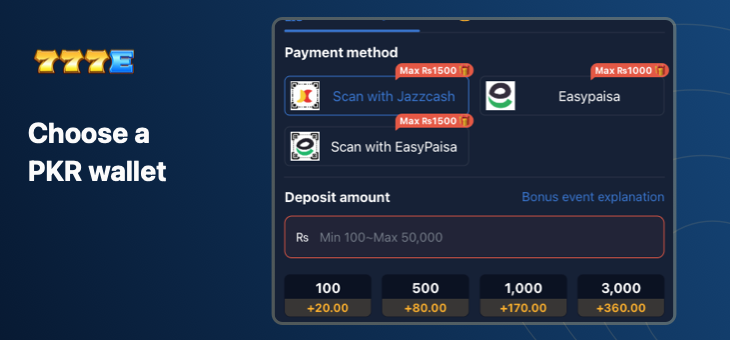
PKR payment methods in the 777E cashier 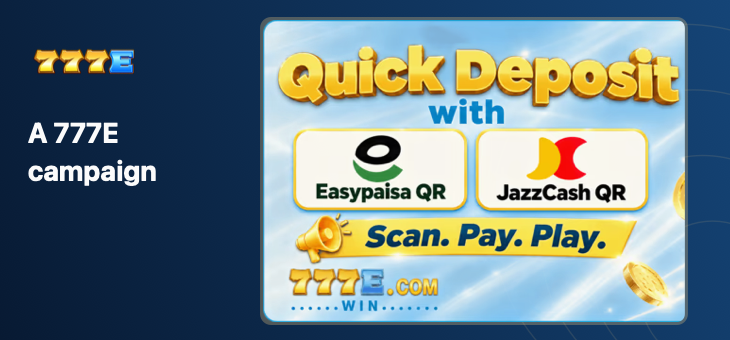
777E campaign artwork for Easypaisa and JazzCash QR deposits
Useful features in the 777E lobby
Search and save games
Open Hot when browsing or use Search if you already know the name. Signed-in players can use Favorites to return to saved games.
Recover access from the Login panel
Open Forgot Password if you’re locked out. The verification screen accepts a phone number, email or account name associated with your 777E account.
Check wallet activity in PKR
The cashier shows Easypaisa and JazzCash payment options. Use Withdrawal Records to look up your request by date and status.
See which offers apply to you
Promo brings together daily gifts, first-deposit rewards and VIP benefits. Open a campaign card to check its conditions and how to claim.
777E mobile review for Pakistan
The browser is the simplest way to look around 777E for the first time. The lobby puts Search and the game categories on the same screen, so you can check the selection before adding anything to your phone. The sign-in and download buttons on this guide take you to the lobby, where you choose Login or Download now.
If you expect to return often, the best route depends on your phone. On Android, the menu lists Speed APP at about 7.1 MB and Native App at about 96.1 MB. Speed APP is the smaller download. On iPhone, Safari can add a Home Screen shortcut to the same lobby.
For PKR payments, the cashier shows the payment channel and amount, while Withdrawal Records helps you track what happened after a request. Compare the reward shown for your chosen QR amount before you pay. Keep the payment receipt handy if you later need Support.
Download 777E on Android or add an iPhone shortcut
Use the download menu for Android. On iPhone, you can open the lobby in Safari and add it to your Home Screen.
- Open the 777E lobby in your phone browser.
- On Android, tap Download now at the top of the lobby and choose Speed APP. Check your browser’s Downloads for the APK.
- On iPhone, open 777E in Safari, tap Share, choose Add to Home Screen and tap Add.
- Open the app or shortcut. If you already have an account, sign in with the same mobile number.
Create a 777E account with a +92 number
Have a Pakistani mobile number you can access. Registration gives you a choice between password and SMS verification.
- Tap Register in the 777E lobby and enter your mobile number.
- Choose Password registration and create a password, or choose Code register and request an SMS code.
- Enter the password or code in the form, review the User Agreement and submit.
Sign in or recover your 777E account
Use the mobile number you registered with, including when you switch phones.
- Tap Login in the lobby and enter your registered +92 mobile number.
- Choose Password Login or Code login. For Code login, request the SMS and enter the code you receive.
- If you are locked out, open Forgot Password and follow the identity verification steps. Use Customer Service if you can’t complete them.
Choose a game and check the rules
Pick a format
Use Slot for symbol-based games, Mini Games for short rounds, or Fishing and Live for their own styles of play.
Check the rules for that title
In a slot, look for the paytable and the symbols that trigger features. For fishing or live tables, check the controls or minimum stake that the game shows.
Decide how much time and money to use
Check the round cost and decide how much time and money to spend before getting started. Stop when you reach either limit.
Easypaisa and JazzCash deposits and withdrawals
777E lists PKR 100–50,000 per deposit and PKR 110–194,000 per normal withdrawal. It states that it charges no fee and sets no daily withdrawal cap. The cashier shows the available method and amount for your transaction.
For a withdrawal, use Receiving account to check the destination and Withdrawal Records to follow the request. If your wallet was charged but a deposit has not appeared, save the receipt and check the record before sending another payment.
QR deposit rewards, daily gifts and VIP offers
Pay with Scan with EasyPaisa or Scan with JazzCash for an extra reward of up to PKR 1,500 on eligible QR deposits. In Online deposit, check the reward shown for your chosen amount before paying.
Open Promo to check First Deposit Extra Reward, Special Daily Gift and the current offers for your account. Use the campaign details to check claim steps and timing.
Protect your account and payments
- On a shared phone, turn off Remember account password before you sign in.
- Use the QR code generated for your own deposit order. Check the receiver and the amount in your wallet before confirming.
- Keep account passwords, withdrawal passwords, wallet PINs and SMS codes private.
Ready to open 777E?
Use the lobby to open Download now, Login, Games or Promo.
What to send to 777E Support
Open Support in the lobby. For a lost login or download problem, share the exact error and the step where it happened. For a payment, have the amount, time and transaction reference ready.
For a missing reward, tell Support the campaign name and the status you see in Promo.
Common questions about 777E Pakistan
Can I use 777E without installing an app?
Yes. Open the lobby in your phone browser to browse games. On iPhone, you can also add the same lobby to your Home Screen from Safari.
Where do I get the 777E Android APK?
Open the mobile lobby and tap Download now at the top. Choose Speed APP and check your browser’s Downloads. The lobby shows the options for your phone.
Can I sign in with a verification code?
Yes. In Login, enter your registered +92 mobile number, choose Code login, request the SMS and type in the code.
Where do I check whether a withdrawal went through?
Open Withdrawal Records and adjust the date filter. Use All Status to find in-progress, cancelled, declined or successful requests.
What if I paid from my wallet but the balance has not updated?
Check your wallet receipt and the 777E deposit record. If the payment is still missing, give Support the amount, time and reference before paying again.
How much is the Easypaisa or JazzCash QR reward?
Eligible payments with Scan with EasyPaisa or Scan with JazzCash can receive up to PKR 1,500 extra. Check the reward shown for your amount in Online deposit.